> ## Documentation Index
> Fetch the complete documentation index at: https://docs.parea.ai/llms.txt
> Use this file to discover all available pages before exploring further.
# Authentication
> You will need an API Key and Organization to use the API/SDK.
## Parea API Key
First, you'll need a Parea API key. To create an API key, visit the [Settings](https://app.parea.ai/settings) page.
If you have not created an organization, you will be asked to create one first.
To facilitate easy collaboration, everyone in your organization can access shared models, prompts, API keys, and all other data on the platform.
 Everyone in your organization will use the same Parea API key to authenticate requests to the API.
 We do not display your secret API keys again after you generate them, so copy and store them securely!
## Provider API Keys
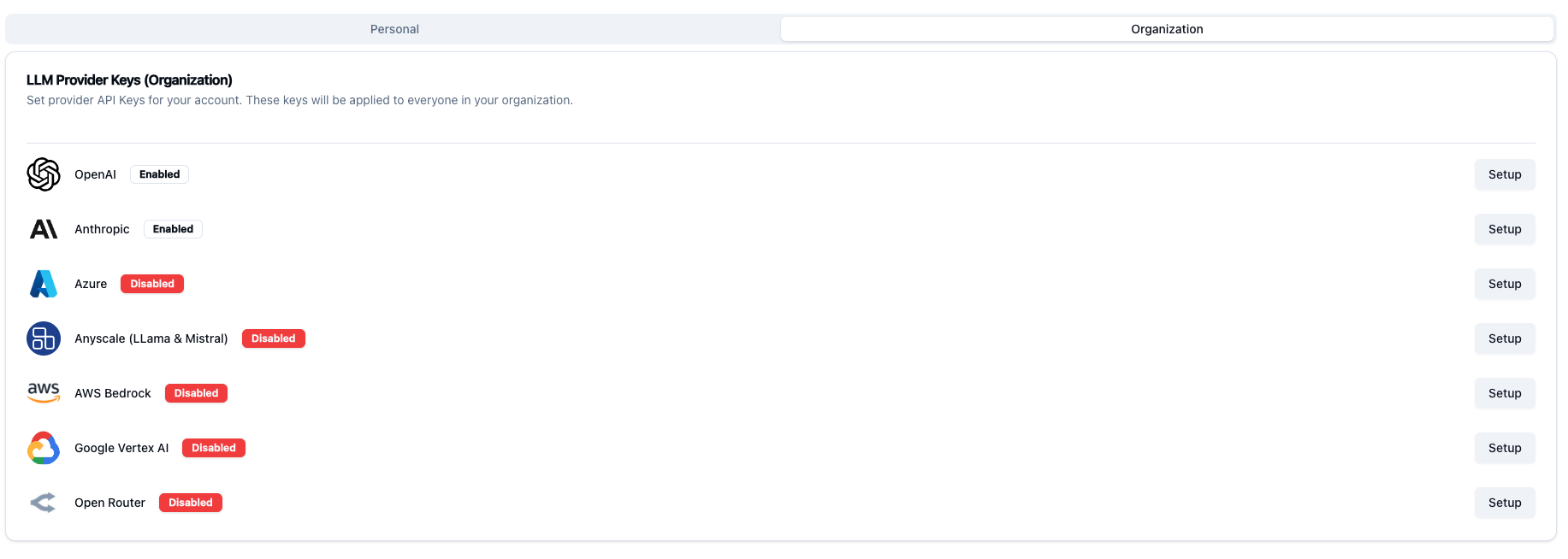
When using the Parea platform you will need to provide API keys for the model providers you wish to use.
Parea supports the most popular model providers, but if you do not see the model you need, let us know and we can quickly add it.
You will have the option of providing keys at the `Personal` or `Organization` level. If you provide at the organization
level then you and anyone in your organization will have access to these models, and will not need their own personal keys.
We do not display your secret API keys again after you generate them, so copy and store them securely!
## Provider API Keys
When using the Parea platform you will need to provide API keys for the model providers you wish to use.
Parea supports the most popular model providers, but if you do not see the model you need, let us know and we can quickly add it.
You will have the option of providing keys at the `Personal` or `Organization` level. If you provide at the organization
level then you and anyone in your organization will have access to these models, and will not need their own personal keys.
 Provider API keys will be available in the SDK as well.
When using the SDK to make LLM calls, you will only need to provide the model name and
Parea will automatically use the saved provider API keys.
This saves you from manually setting API keys in your code for all model providers.
## Authentication
To authenticate via the API you should pass in an API key via the Authorization header if using `curl` or through the Parea constructor if using of our SDKs.
```python python theme={null}
from parea import Parea
p = Parea(api_key='')
```
```typescript typescript theme={null}
import {Parea} from "parea-ai";
const p = new Parea("PAREA_API_KEY");
```
```bash curl theme={null}
'x-api-key: $PAREA_API_KEY'
```
Provider API keys will be available in the SDK as well.
When using the SDK to make LLM calls, you will only need to provide the model name and
Parea will automatically use the saved provider API keys.
This saves you from manually setting API keys in your code for all model providers.
## Authentication
To authenticate via the API you should pass in an API key via the Authorization header if using `curl` or through the Parea constructor if using of our SDKs.
```python python theme={null}
from parea import Parea
p = Parea(api_key='')
```
```typescript typescript theme={null}
import {Parea} from "parea-ai";
const p = new Parea("PAREA_API_KEY");
```
```bash curl theme={null}
'x-api-key: $PAREA_API_KEY'
```