> ## Documentation Index
> Fetch the complete documentation index at: https://docs.parea.ai/llms.txt
> Use this file to discover all available pages before exploring further.
# Criterion
> Define how responses should be annotated
An annotation criterion outlines the dimension along which you want to evaluate your responses.
For example, you might want to evaluate responses based on their sentiment, grammar, and relevance.
Each of these dimensions would be a separate criterion.
Parea enables you to define `continuous` (e.g. from 1-10) and `categorical` (e.g. "good", "neutral", "bad") annotations.
While continuous annotations require you to define a minimum and maximum value, categorical annotations require you to define a list of possible labels with associated scores.
You can define a criterion from the [Annotation page](/manual-review/criterion#setting-up-criteria-on-the-annotation-page) or on any [detailed logs page](http://localhost:3001/manual-review/criterion#setting-up-criteria-on-the-annotation-page).
## Setting up Criteria on the Annotation Page
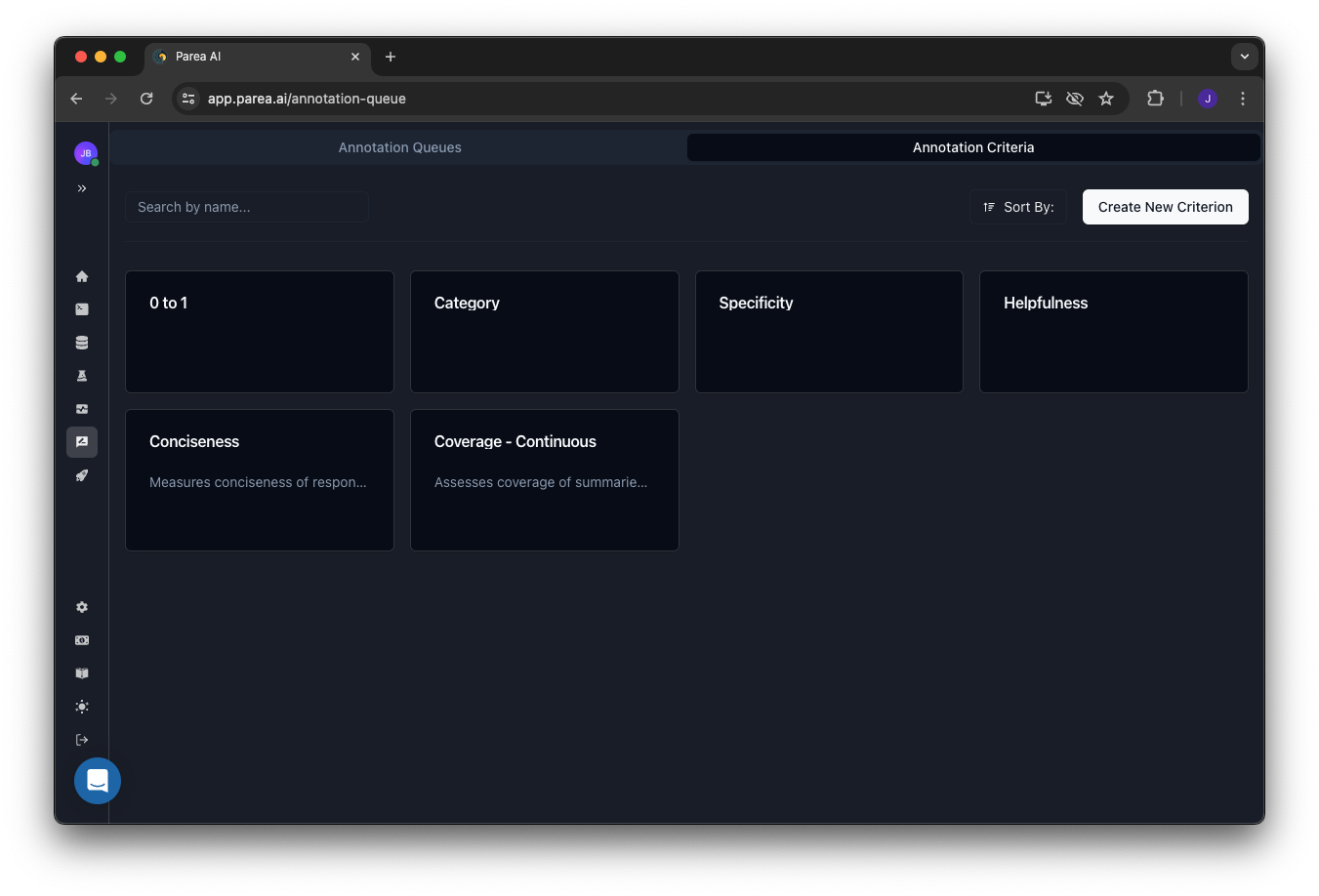
When you navigate to the [Annotation](https://app.parea.ai/annotation-queue) page, you can see the list of criteria that are available for annotation.
You can add a new criterion by clicking on the `Create New Criterion` button on the top right of the page.
After creating a criterion you can update its description, and min./max. values or mapping of categorical values to scores.
 ## Setting up Criteria in the Logs View
If you want to annotate or select which annotation criteria are shown, you need to click the `Annotate` button on the top right of the trace log viewer.
You set up your chosen annotation by clicking on the `Edit` button next to the `Annotations` section in the sidebar.
In the popover, you can either search for an existing annotation with the search bar or create a new one by clicking on the `Add` button.
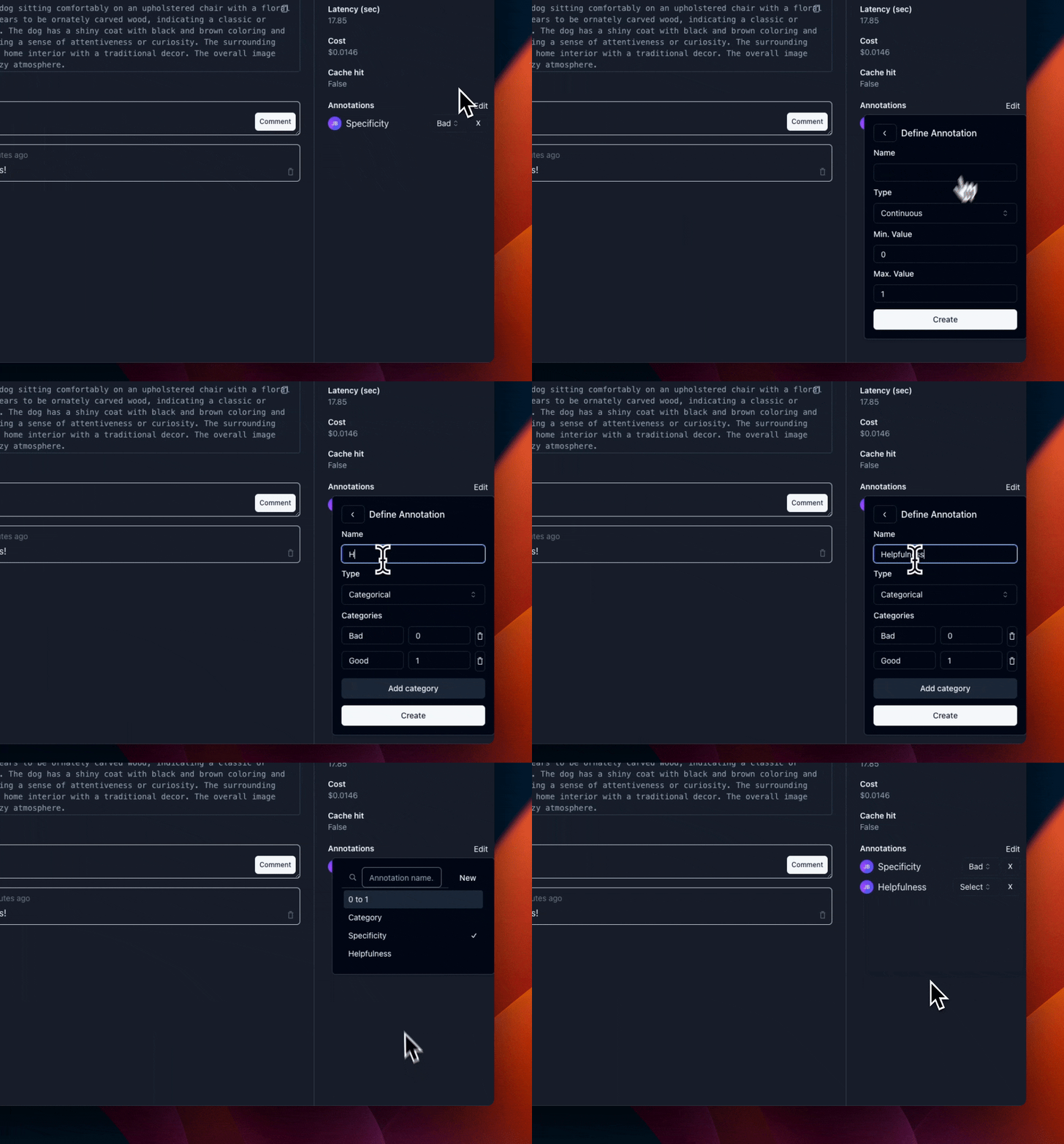
Below you can see how a categorical annotation criteria is created.
## Setting up Criteria in the Logs View
If you want to annotate or select which annotation criteria are shown, you need to click the `Annotate` button on the top right of the trace log viewer.
You set up your chosen annotation by clicking on the `Edit` button next to the `Annotations` section in the sidebar.
In the popover, you can either search for an existing annotation with the search bar or create a new one by clicking on the `Add` button.
Below you can see how a categorical annotation criteria is created.