> ## Documentation Index
> Fetch the complete documentation index at: https://docs.parea.ai/llms.txt
> Use this file to discover all available pages before exploring further.
# Logs View
> Annotate & comment on logs.
You can enable manual annotation by clicking on the `Annotate` button on the top right of the trace log viewer.
The scores from the manual annotation will be aggregated in the detailed experiment view or logs dashboard depending on if the log is associated with an experiment or not.
If you want to annotate or select which annotation criteria are shown, you need to click the `Annotate` button on the top right of the trace log viewer.
 ## Annotate
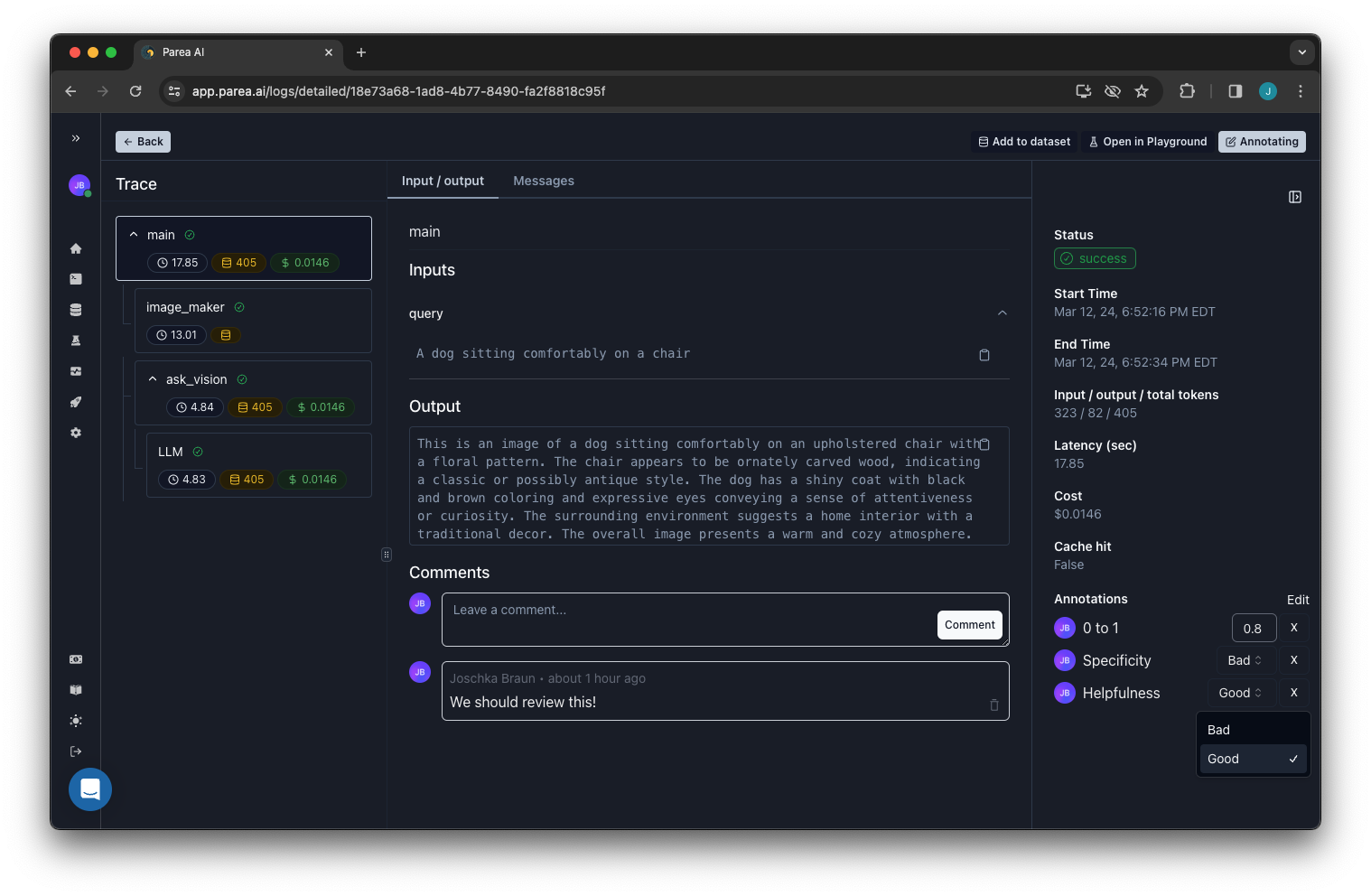
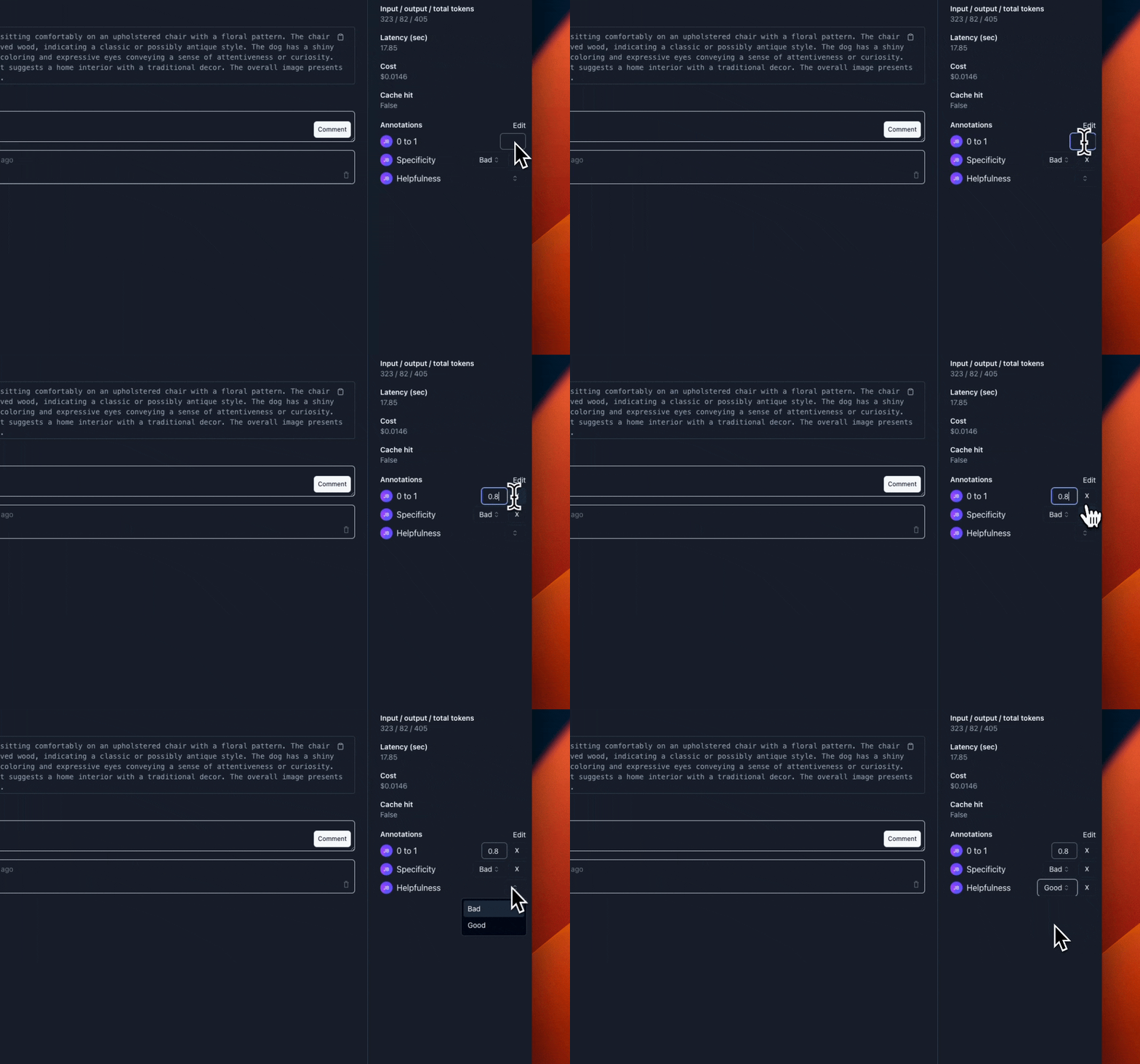
To annotate a log, you can simply type in the score in the input field or select a label from the dropdown.
This will automatically save the annotation and update the aggregated scores of the experiments or logs dashboard.
You can unset an annotation by clicking on the `X` button next to it.
## Annotate
To annotate a log, you can simply type in the score in the input field or select a label from the dropdown.
This will automatically save the annotation and update the aggregated scores of the experiments or logs dashboard.
You can unset an annotation by clicking on the `X` button next to it.
 ## Commenting on Logs
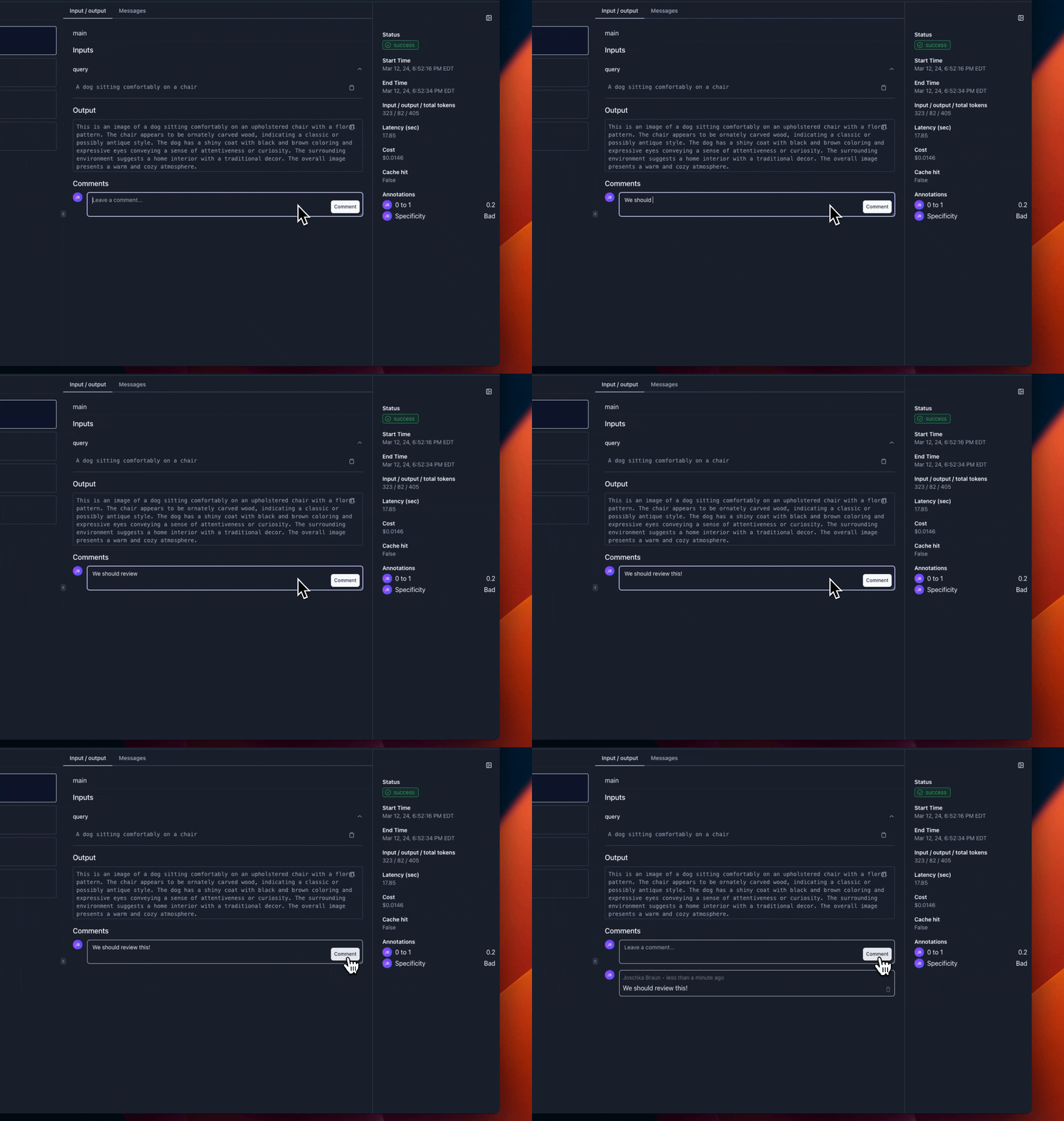
To collaborate with your team, you can add comments to logs.
This is useful to get more qualitative insights from your team members, and to discuss the logs in more detail.
## Commenting on Logs
To collaborate with your team, you can add comments to logs.
This is useful to get more qualitative insights from your team members, and to discuss the logs in more detail.