> ## Documentation Index
> Fetch the complete documentation index at: https://docs.parea.ai/llms.txt
> Use this file to discover all available pages before exploring further.
# Function calling
> Add functions to prompts in the playground.
In the playground, you can describe functions and have the LLM model intelligently choose to output a
JSON object containing arguments to call one or many functions.
### Common use cases
Function calling allows you to get structured data back from the model more reliably. For example, you can:
* Create assistants that answer questions by calling external APIs (e.g., like ChatGPT Plugins)
* *e.g. define functions like send\_email(to: string, body: string), or get\_current\_weather(location: string, unit: 'Celsius' | 'Fahrenheit')*
* Convert natural language into API calls
* *e.g., convert "Who are my top customers?" to get\_customers(min\_revenue: int, created\_before: string, limit: int) and call your internal API*
* Extract structured data from text
* *e.g. define a function called extract\_data(name: string, birthday: string), or sql\_query(query: string)*
* Classification tasks
* *e.g., define a function schema that has an enum for the class \["Type1", "Type2"] and instruct the model to select only one based on some input*
...and much more!
* OpenAI
* gpt-4
* gpt-4-1106-preview
* gpt-4-0613
* gpt-3.5-turbo
* gpt-3.5-turbo-1106
* gpt-3.5-turbo-0613
* Anyscale
* mistral-7b-instruct
In addition, parallel function calls are supported on the following models:
* OpenAI
* gpt-4-1106-preview
* gpt-3.5-turbo-1106
* Anyscale
* mistral-7b-instruct
### Adding functions to your prompt
For supported models, you can click the `Add function(s)` button, which will open a modal to add existing functions to
your prompt or allow you to create a new one.
Functions are version-controlled. You can select the version of the functions you want and then click the switch to enable the functions.
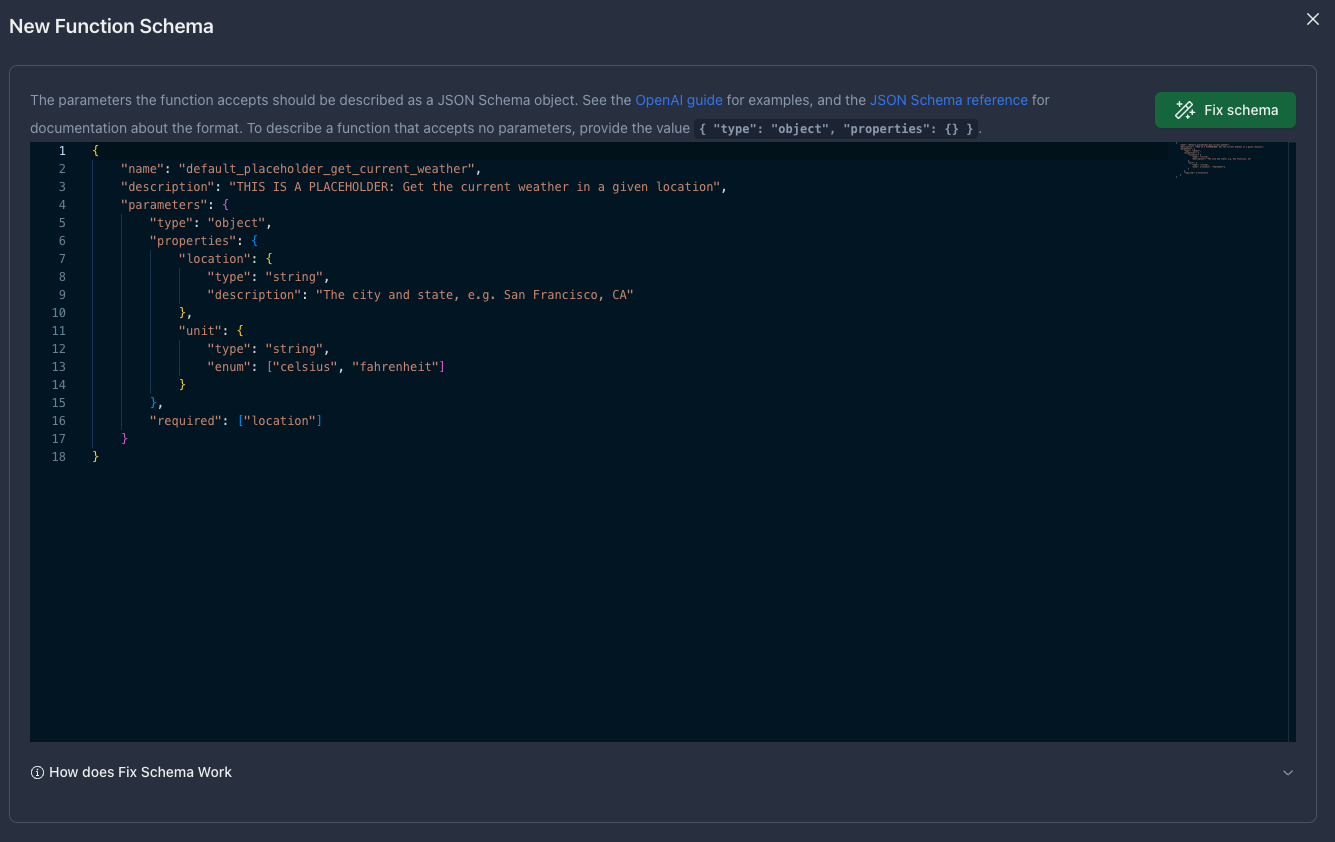
You can also create a new function by defining your function JSON schema in the editor.
The parameters the function accepts should be described as a JSON Schema object.
See the [OpenAI guide](https://platform.openai.com/docs/guides/text-generation/function-calling) for examples,
and the [JSON Schema reference](https://json-schema.org/understanding-json-schema) for documentation about the format.
To describe a function that accepts no parameters, provide the value `{ "type": "object", "properties": {} }`.
Copying an existing from your IDE, click the `Fix schema` button to fix the formatting automatically.
Fix schema ensures you are following OpenAI json schema requirements. Changes made include:
* Ensuring name matches regex: `^[a-zA-Z0-9_-]{1,64}$`
* Replacing spaces and special characters in property names with hyphens
* Ensuring the required list has updated property names and has the correct placement
 ## Setting Response format to JSON
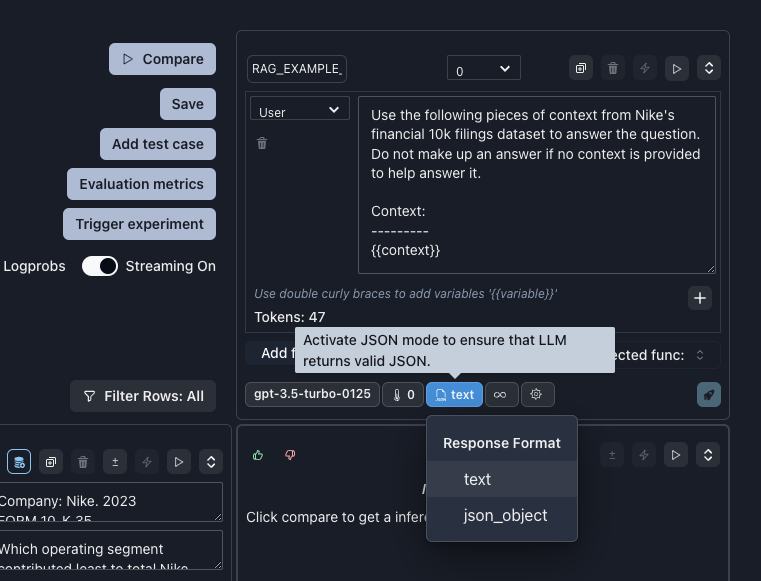
Alternatively, you can force some OpenAI & Mistral models to response with JSON by setting the response format to `json_object`.
Note, setting response format to `json_object` will require you to use the word `JSON` in your prompt.
## Setting Response format to JSON
Alternatively, you can force some OpenAI & Mistral models to response with JSON by setting the response format to `json_object`.
Note, setting response format to `json_object` will require you to use the word `JSON` in your prompt.
 * OpenAI
* `gpt-3.5-turbo`
* `gpt-3.5-turbo-1106`
* `gpt-3.5-turbo-0125`
* `gpt-4-turbo-preview`
* `gpt-4-1106-preview`
* `gpt-4-0125-preview`
* Mistral
* `mistral-small-latest`
* `mistral-large-latest`
* OpenAI
* `gpt-3.5-turbo`
* `gpt-3.5-turbo-1106`
* `gpt-3.5-turbo-0125`
* `gpt-4-turbo-preview`
* `gpt-4-1106-preview`
* `gpt-4-0125-preview`
* Mistral
* `mistral-small-latest`
* `mistral-large-latest`