1
Installation
First, you’ll need a Parea API key. See Authentication to get started.After you’ve followed those steps, you are ready to install the Parea SDK client.
2
Create an evaluation script
Start with creating a simple evaluation script.
- Python
- TypeScript
3
Run experiment
After you’ve followed the above steps, you are ready run your experiment.
4
View results
The executed script will create a link to the experiment overview & its traces.
You will see a high-level overview of your experiment, including average values for metrics such as latencies and cost, and any evaluation functions you’ve defined.
You will see a table of your logs, and any chains will be expandable. The log table supports search, filtering, and sorting.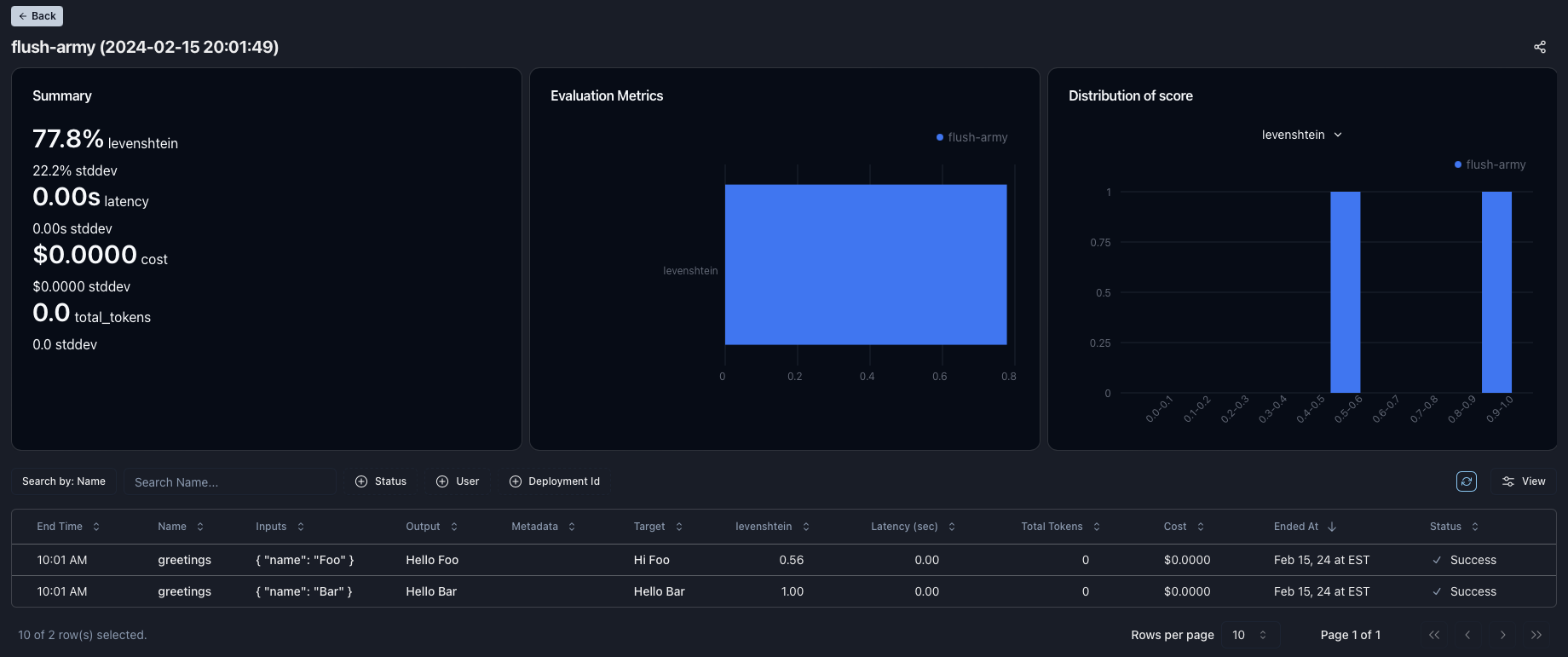
5
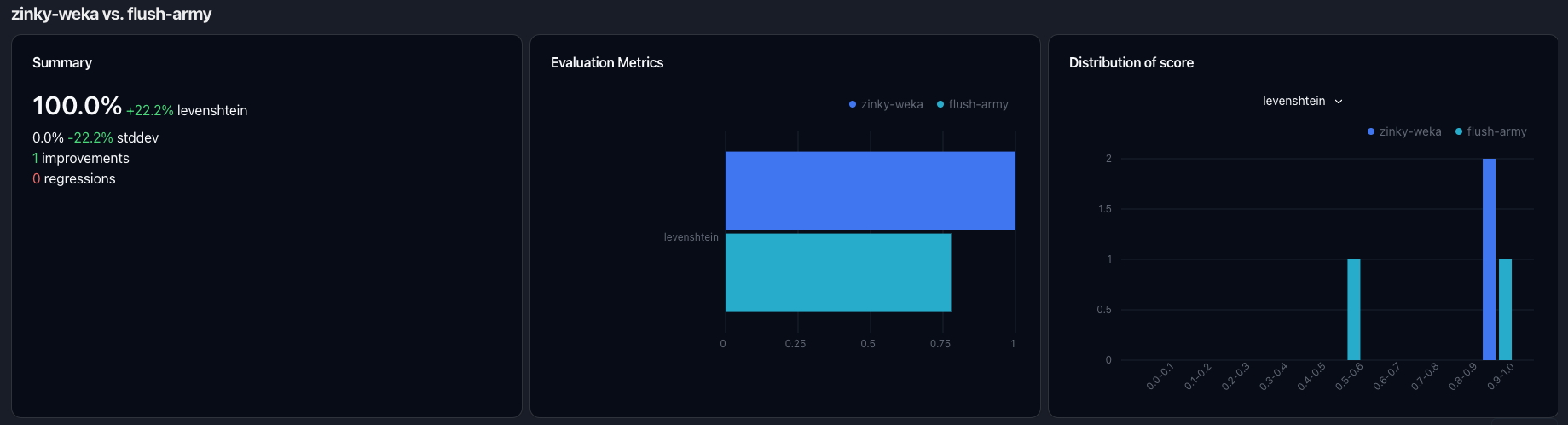
Can you improve to 100%?
For our first experiment, we only achieved a 77.8% score.
Can you improve the score to 100%?
If you run another experiment, you can compare the results like the screenshot below.